One Meme, Many Platforms: Aspect Ratios for Moments, Xiaohongshu and TikTok
After creating a meme you're proud of, you naturally want to share it across WeChat Moments, Xiaohongshu, and Douyin/TikTok simultaneously. However, creators often run into an awkward problem: an image that looks flawless on one platform ends up getting cut off on another, with punchlines cropped in half or buried under interface buttons.
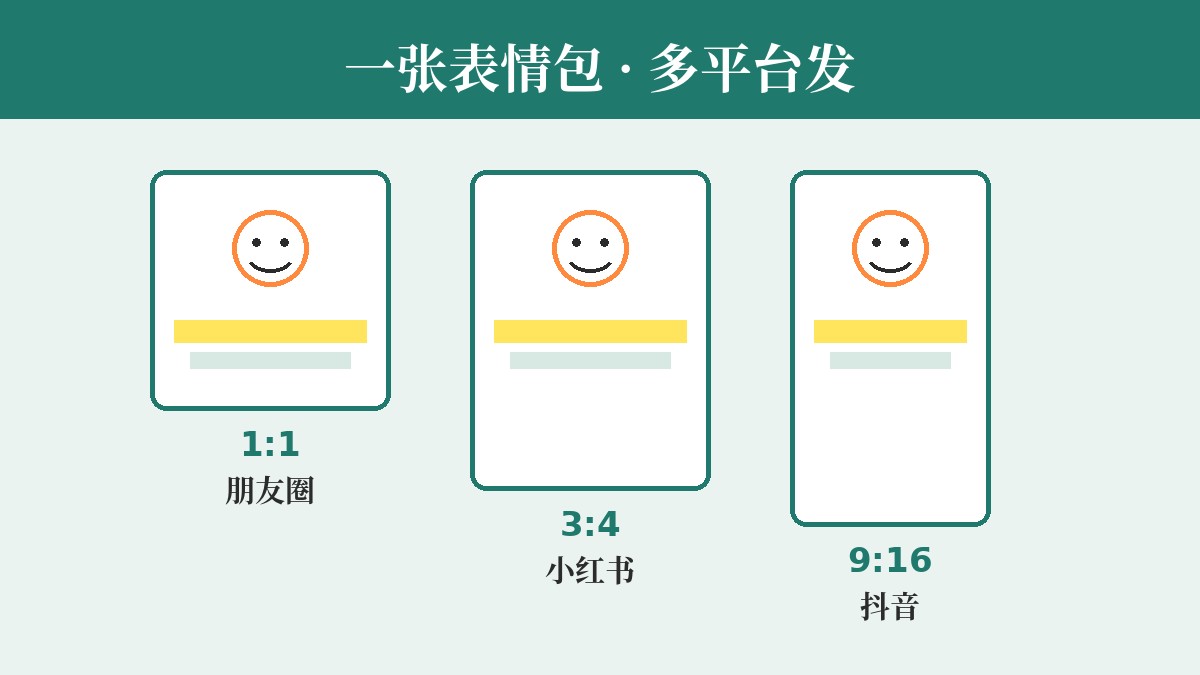
Different social platforms have unique browsing habits and display windows. By mastering standard aspect ratios and carefully planning text safe zones, you can ensure your copy and creativity shine clearly on every feed.
1. Three Core Aspect Ratios and Platform Standards
Across major social platforms, memes and image posts generally follow three standard aspect ratios (always refer to each platform's latest guidelines for specific display rules):
- 1:1 (Square)
- Best For: WeChat direct messages, Moments single images, or 9-grid posts.
- Key Features: Offers the most balanced and consistent display in the Moments feed without auto-stretching or unwanted cropping. High visual focus—perfect for the classic "top-and-bottom" meme format.
- 3:4 (Portrait)
- Best For: Xiaohongshu dual-column waterfall feeds.
- Key Features: The larger vertical display area commands more attention in dual-column feeds. Ideal for images with rich detail or tall vertical subjects, such as people or pets.
- 9:16 (Full-Screen Vertical)
- Best For: TikTok/Douyin photo posts, video covers, WeChat Channels, and full-screen Stories.
- Key Features: Fills the entire mobile screen for maximum immersion. However, because user interface overlays crowd the edges, layout safe zones are strictly required.
2. Key to Vertical Layouts: Text Placement and Safe Zones
When resizing memes into 3:4 or 9:16 vertical formats, the most frequent pitfall is text placed too close to the borders getting obscured. To keep your text readable, reserve these safe margins:
- Avoid top status bars and navigation buttons: Vertical feeds often have device status bars (battery, time) or in-app search bars and back arrows at the top. Keep your top text away from the upper canvas edge—a 10% to 15% top buffer is recommended.
- Avoid bottom captions and player controls: In full-screen modes on TikTok or Xiaohongshu, the lower screen is occupied by usernames, captions, music tickers, and comment inputs. Never place your bottom text flush against the bottom edge; pull it upward into the lower-middle section of the image.
- Avoid right-side action buttons: In 9:16 full-screen layouts in particular, the right edge houses like, comment, bookmark, and share buttons. If your text is long, break it into multiple lines and keep it centered so the rightmost words don't get covered by the action buttons.
3. Step-by-Step: Re-Adapting the Same Copy to Different Aspect Ratios
Suppose your copy is (for example): "Nobody stays completely sane at work / We are just hanging by a thread". When tailoring this to different aspect ratios, follow these steps:
- Import or select a base image: Upload a local image or pick a popular template in your editor, choosing the appropriate aspect ratio canvas for your target platform.
- Add two-line text: Type the setup on top and the punchline on the bottom. For universal multi-platform legibility, use classic bold white text with a black outline/stroke so it stays readable regardless of background contrast.
- Adjust text spacing and scaling for the target ratio:
- For 1:1: Both text lines can sit closer to the top and bottom edges (while still leaving slight breathing room), and the font size can be enlarged to span across the canvas width.
- When switching to 3:4 or 9:16: Do not let the top and bottom text lines stick to the extreme edges of the canvas; otherwise, the center will feel hollow, and the bottom text will inevitably get covered. Instead, manually drag the text boxes toward the center, positioning them overall within the upper-middle "golden viewing zone."
- Unified Alignment & Font Size Adjustments: Keep text "Center Aligned." If the subject in a vertical image is relatively small, adjust its position using the scale tool, then drag the text boxes to avoid covering focal points (such as facial expressions).
- Export & Review: Once you ensure there is no edge clipping or obstruction, export directly as a PNG to guarantee crisp, artifact-free text edges.
4. Cross-Platform Layout Cheat Sheet
- WeChat Moments (Primarily 1:1): Centered layout, slightly larger font, clear stroke outlines—ensuring text remains easily readable in thumbnail previews.
- Xiaohongshu / RED (Primarily 3:4): Leave breathing room at the bottom to prevent the subject from being covered by dual-column feed titles.
- TikTok / Douyin (Primarily 9:16): Pull both top and bottom text inward, keeping key text and expressions focused within the central 60% of the screen.
If you want to quickly compare layouts across different aspect ratios, simply upload your image to meme.rapporteur.online. Easily drag your top and bottom text lines, tweak the classic outline stroke sizes, and generate platform-ready PNG memes in one click.
Open the meme maker
Choose a template or upload your own image, add top and bottom text, and export a crisp PNG. Your image is processed in your browser.